A bank website prompt 来源:https://prompts.chat/prompts/cmuojgu270007k504vqvq2z6r
I want a bank app prompt and I want it professional and better. I want it to be name FATE BANK
Make a website which is fully functional of "PS5 — Carbon Footprint Intelligence Platform" 1. User accounts and profiles 2.Carbon calculator 3.Interactive dashboard 4.Reduction planner 5.Goals and challenges 6.Downloadable reports 来源:https://prompts.chat/prompts/cmuqletxu0001l504wc1neig6
User accounts and profiles for individuals or campus teams.
Carbon calculator covering electricity, travel, food, and waste, with clearly stated calculation factors.
Interactive dashboard showing emissions by category and trends over time.
Reduction planner where users compare scenarios, such as switching transport or reducing electricity use.
Goals and challenges with progress tracking and team leaderboards.
Downloadable reports summarizing emissions and suggested actions.
来源:https://prompts.chat/prompts/cmurx7b830004l004ymgr4cjb
I wanna build an website with ai assistant for a hotel called the village in kilimani nairobi it has to have whatsapp empessa empessa prompt I want It to be an ai frondesk ai call
来源:https://prompts.chat/prompts/cmuvhv6z90001mx054o3pf074
Act as an elite full-stack developer and UI/UX expert. Update, refactor, and finalize our corporate project management and inventory system with the following 11 comprehensive features and modifications. Ensure absolute state management using React hooks, strict validation, dynamic workflows, and high-fidelity conditional rendering.

1. Multi-Tenant Multi-Project Login Isolation
* Behavior: Implement a multi-tenant authentication rule based on a unique combination of Company Name, Project Name, and Password.
* Logic: If user A logs in with Company A and Project CC, they must see distinct dataset A. If user B logs in with Company B and Project CC, the system must treat this as a completely separate unique project because the Company Names differ. Prevent data cross-contamination between different companies using identical project names.

2. Store Request Received Menu UI & Column Labels
* Page Workflow: On the Store Page -> Request Received Menu -> View section:
* UI Updates: Display the item Description. Rename the column header Parameter to "Unit", and rename the column header Note to "Remark".
* Data Visibility: Ensure the data for "Unit" and "Quantity (QTY)" MUST be fully visible and readable to the user under their respective columns. Do not hide these core transaction details.
* Header Branding: Bind the Company Name entered at login dynamically to the header layout of the SR, PR, and all system documents.

3. Document Fields Validation & Optional Attachments
* Validation: When submitting a Store Requisition (SR), Material Take-Off (MTO), or Store Issue Voucher (SIV), enforce strict validation requiring all structural form input fields to be fully populated.
* Attachment Engine: The PDF document upload action is strictly OPTIONAL (Not Mandatory). Users can successfully submit forms without an attachment.
* File Operations: If they choose to attach a file, provide a Click to View link for uploaded PDFs, a Delete button to remove the selection before submission, and a functional Back navigation button to cancel operations.

4. MTO-to-Store Cross-Page Workflow & Data Automation
* Notification & Initial State: When an MTO is dispatched to a project order, trigger a Red Notification Badge on the targeted project's MTO Menu. Inside this menu, only display two options: Ready and View.
* Instant Out PDF Action: Clicking View opens a modal showing the transaction data rendered purely as an "INST_OUT" PDF format. After review, the user clicks the Ready button.
* Material Mapping: Clicking Ready must automatically inject the requested material data into the REF_OUT table row via a dynamic drop-down selector.
* SR Status Progression: Automatically advance the status on the SR Page to "Ready to Issue".

5. SR "Ready to Issue" Logistics & Dispatch Workflow
* Logistics Modal: On the SR Page, when an order hits the "Ready to Issue" status state, clicking the corresponding View button must launch a dedicated Logistics Dispatch Form.
* User Inputs: The operator on this page must fill out the dynamic logistical transit metadata fields: "Receiver / Driver Name", "Dispatch Date", "Departure Time", and the transport vehicle's "Plate No".
* Data Routing: Clicking the Send action button on this dispatch module must package this logistical dataset and securely route it directly over to the warehouse terminal on the Store Page.
An evidence-driven task prompt that audits, scores and fixes how well a website and its MCP server hold up against Googlebot, AI crawlers and aggressive LLM agents. 来源:https://prompts.chat/prompts/cmuz48xzm0001id04wfwscj4k
ROLE
You are a senior engineer running a maturity audit (SEO/crawl health, security, resilience, agent-readiness)
for a website and its MCP (Model Context Protocol) server. Work like an independent auditor: evidence first,
no assumptions, fix what you can and re-test.

AUTHORIZATION
Only audit systems that owner_or_authorized_party owns or has explicitly authorized you to test.
Run load, fuzzing and attack-style tests against STAGING only. Against production, do read-only, rate-capped
crawling and only with my explicit approval. No real payments, no real bookings or orders, no real personal data.

CONTEXT
- Site: site_url   Staging: staging_url   MCP endpoint: mcp_url   Repo: repo_path
- Business type and catalog size: e.g. travel/e-commerce/marketplace, ~N pages, ~N products
- Locales/currencies: locales_and_currencies
- Target LLM clients: e.g. Claude, ChatGPT, Gemini
- Test accounts/tokens: test_credentials
- Constraints and compliance regimes: e.g. GDPR, CCPA, PCI DSS, local law
Assume consumers will be aggressive: Googlebot, AI crawlers, user-triggered AI fetchers, scrapers, and LLM agents that
retry, loop, run in parallel and send malformed arguments.

RULES
1. Read first: repo, OpenAPI/tool definitions, robots.txt, sitemaps, templates, response headers. Build an inventory before testing.
2. Every claim needs evidence (command, output, log, file:line, URL). No evidence = not passed.
3. Mark anything you could not test as "NOT RUN + reason". Never hide failures.
4. Verify versions, specs and search-engine guidelines against official docs before stating them.
5. Ask before destructive or high-volume tests. Fix critical/high findings, re-test, and record before/after.
6. Start with a 10-item test plan and a task list, then execute.

TEST CATEGORIES

A. Crawl and index health
- Fetch robots.txt and all sitemaps; count URLs per type; reconcile with the expected page counts. Report sitemap URLs that
  404/redirect/noindex/canonicalize elsewhere, indexable pages missing from sitemaps, and orphan pages.
- Crawl as Googlebot (smartphone UA) and as a generic bot at a polite rate: status codes, redirect chains, soft 404s,
  duplicate titles/descriptions, canonicals, hreflang reciprocity (+ x-default), pagination, faceted/search/parameter URLs
  (crawl traps, infinite calendars), URL/slug consistency and 301 behavior for variants.
- Rendering: compare raw HTML vs rendered DOM; confirm critical content, links, structured data and prices are not JS-only.
- Bot determinism: fetch key pages repeatedly; check that randomization/personalization does not give bots unstable or
  materially different content (cloaking risk).
- Structured data: validate JSON-LD (Organization, Product/Offer, Hotel/Place, BreadcrumbList, AggregateRating, etc.) for syntax,
  required properties and consistency with visible content; check review-markup policy compliance.
- Performance: Lighthouse (mobile) on 30 representative templates; report LCP/INP/CLS. Use Search Console data if provided.
- robots.txt: parse with a real parser; verify rules per bot (Googlebot, GPTBot, ClaudeBot, Google-Extended, CCBot, etc.), parity between
  bot-specific groups and the default group, and that sensitive paths (checkout, account, internal APIs) stay blocked.
  Confirm AI-training/AI-input policy (Content-Signal or equivalent) is intentional.
- Sitemap hygiene: lastmod accuracy, size limits (50k URLs/50MB), gzip, content types, image/video sitemaps.
- AI-search readiness: verify AI fetcher/search bot user agents get 200s (no WAF challenge, no wrongful 403/429); consider llms.txt and clean text rendering.

B. Bot, WAF and load resilience (staging)
- k6/locust: normal load, 10x spike, 1-hour soak, mixed crawler simulation (Googlebot + several AI-bot UAs), slow clients.
- Cache behavior: hit ratio, cache keys vs query params, stale-while-revalidate; protection of price/availability/quote endpoints
  (robots.txt is not security).
- Upstream amplification: backend/supplier calls per page view and per crawl; bots must not trigger unbounded live upstream calls.
  Test timeouts, circuit breakers, retry storms and degraded-mode pages (chaos tests).
- Rate limiting: 429 + Retry-After, per-IP/token/UA limits; legitimate crawlers not throttled by mistake.
- Measure p50/p95/p99 latency, error rate, CPU/RAM, DB connections, cost per 1,000 requests.

C. MCP protocol and schema conformance
- MCP Inspector + SDK client: initialize, tools/list, tools/call, streaming (Streamable HTTP), reconnect, large responses.
- Each tool: valid JSON Schema, "when to use / when not to use" descriptions, annotations (readOnly/destructive/idempotent),
  structured output, bounded results with pagination.
- Convert tool definitions to Claude, OpenAI and Gemini function-calling formats; flag unsupported constructs.
- IDs, URLs, locale and currency returned by tools must match the website's canonical ones.

D. Input hardening
- Fuzz every tool (schemathesis/hypothesis): wrong types, huge strings, unicode/RTL/emoji, impossible dates and numbers,
  unsupported currency/locale, injection patterns, path traversal, SSRF URLs. Expect no 500s, no stack traces, recoverable errors, server stays up.

E. Agent behavior evals (end to end)
- Write 50+ realistic scenarios in the languages your users speak: clear, ambiguous, multi-step, error, change/cancel, sold out,
  price changed, conflicting requests.
- Run on 3+ target models x 5 repetitions. Metrics: tool-selection accuracy, argument accuracy, task success, pass^k, calls and tokens
  per task, error recovery, confirmation compliance before write actions. Root-cause failures (description, schema, output size, model);
  fix descriptions/schemas first and re-measure.

F. Security
- Indirect prompt injection through catalog/user-generated content (descriptions, reviews, blog, form fields) using mock upstream data and staging content.
  Agents must not take unauthorized actions or leak data.
- AuthN/Z: OAuth 2.1 + PKCE, audience-bound tokens, scope enforcement, IDOR, expired/wrong-audience tokens, no token passthrough.
- Write-action safety: explicit user confirmation, quote expiry, price/currency tampering, 50 parallel requests with one idempotency key -> exactly one effect.
- Payments: no card data through tools or logs; hosted payment links only.
- Web basics: OWASP Top 10/API Top 10 on forms and endpoints, CSRF, open redirects, security headers, cookie flags,
  dependency/container/secret scans (pip-audit/npm audit, Trivy, gitleaks), SBOM.
- Abuse: scraping and enumeration resistance, denial-of-wallet limits.

G. Privacy and compliance
- Consent: analytics/marketing tags must not fire before consent; choices persist as stated; third-party embeds load only after consent.
- Applicable regimes (regimes): data minimization, retention, data-subject requests, processor agreements with LLM vendors,
  logs free of PII/tokens.
- Content/licensing: image and review usage rights, AI-training/AI-input policy consistency, accuracy of displayed ratings and "verified" claims.

H. Observability and operations
- Traces/logs per tool call and per page type (latency, upstream status, cache status, bot class); audit log for write actions; dashboards and alerts.
- Health/readiness, graceful shutdown, config validation, secrets management, rollback plan, tool-schema versioning,
  CI checks that robots.txt and sitemaps never regress.

SCORING
Score categories A-H from 0 to 4: 0 none, 1 ad hoc, 2 partial with gaps, 3 consistent and tested, 4 automated, monitored, evidenced.
Production gates (ALL required):
- 0 open critical/high security findings; 0 successful unauthorized write or duplicate transaction.
- >= 99% of sitemap URLs return 200, are self-canonical and indexable; 0 sitemap URLs that are noindex/redirected/404; hreflang reciprocity >= 99%.
- Search/filter/parameter URLs do not create unbounded indexable duplicates.
- Core Web Vitals good on key templates, or a dated remediation plan.
- Under 10x spike and crawler simulation: error rate < 1%, p95 < target_ms ms, upstream calls per page view within budget,
  rate limiting works, no legitimate crawler blocked by mistake.
- Agent evals: task success >= 90% and pass^5 >= 75% on each target model (or documented exception).
- 0 PII/tokens/card data in logs; consent respected.
- Every finding has evidence and either a fix or a signed-off accepted risk.

DELIVERABLES (in /maturity-audit/)
1. REPORT.md: executive summary, category scores, gate pass/fail, top 10 risks.
2. FINDINGS.md: ID, category, severity, evidence, impact, fix, status, owner.
3. SEO-CRAWL.md: sitemap reconciliation (type, count, % healthy), canonical/hreflang/duplicate issues, crawl traps, structured-data results.
4. EVAL.md: scenarios, models, metrics, before/after.
5. Runnable tests: tests/, load and crawler scripts, injection fixtures, CI regression checks, and a single `make audit`.
6. ROADMAP.md: 30/60/90-day plan and accepted risks.

Final reply: brief summary of findings, fixes, failed gates, and the single most important next step.
来源:https://prompts.chat/prompts/cmuz5u62d0004l904ys2nmj7u
Build a production-ready, premium TVS Motor digital showroom website. This is a real product, not a demo or a mockup. Use React + TypeScript + Vite, Tailwind, Framer Motion, React Three Fiber for 3D, and a Node/Express or FastAPI backend with PostgreSQL. No placeholder text or lorem ipsum anywhere.

DESIGN LANGUAGE
- Cinematic premium automotive style. Dark theme for hero and showcase sections (#0A0A0A background), light theme (#F4F4F2) for engineering, comparison and booking sections.
- Condensed uppercase sans-serif for nav and headings (Barlow Condensed or DIN-style), clean sans for body text. Thin 1px divider lines, generous whitespace, sharp corners.
- Accent: TVS red used sparingly for CTAs and active states.
- Subtle motion only: scroll reveals, parallax, smooth section transitions.

GLOBAL NAVBAR
- Sticky, transparent over the hero, and solid on scroll.
- Left: TVS logo. Center: BIKES, COMPARE, ACCESSORIES, SERVICE, EXPERIENCE (active item underlined).
- Right: Search, Location, Account, Cart.
- Collapses into a full-screen menu on mobile.

SECTION 1: HERO
- Full-screen dark hero with a low-key studio-lit motorcycle (headlight glow, lens flare) and headline "THE NEXT RIDE IS HERE".
- Left and right arrows to cycle featured bikes, with an auto-advance progress bar.
- CTA button "EXPLORE BIKES".
- Preload the first image. Use a video or WebP fallback.

SECTION 2: BIKE SHOWCASE
- Dark section with the bike centered and hotspot dots (pulsing) that open callouts with a thin leader line to specs (engine, brakes, suspension).
- Spec chips at left (cc, power, torque, mileage) and an "EXPLORE" outlined button.

SECTION 3: ENGINEERING STORY
- Light section, numbered eyebrow ("03 — ENGINEERING"), large heading "Engineering Story", short paragraph.
- Large bike render with 4 to 5 annotated callouts (Engine, Body, Chassis, Technical Info), each with a thin line, title, and 2-line description.
- Callouts animate in one by one on scroll.

SECTION 4: COMPARISON
- Compare up to 3 bikes side by side. Cards show the image, wishlist heart, and variant selector.
- Spec rows for engine, power, torque, weight, mileage, price. Highlight the better value in each row.
- Pull all specs and pricing from the database, not hardcoded.

SECTION 5: TEST RIDE BOOKING
- Stepper: Select Bike → Variant → City → Showroom → Date → Time.
- Right sticky panel "Customer Details" with name, phone (OTP verification), email, and notes.
- Button "BOOK TEST RIDE", with a confirmation screen, email/SMS confirmation, and calendar (.ics) download.

SECTION 6: EXPERIENCE, EMI AND SERVICE
- EMI calculator (down payment, tenure, interest rate) and an on-road price estimate by city.
- Accessories catalogue, service booking, support and FAQ.

ADMIN AND DATA
- Admin panel to upload the pricing Excel workbook. Parse and validate it, preview the changes, then import into the database.
- CRUD for bikes, variants, colors, accessories, showrooms and bookings.
- 3D viewer (GLB) with 360° image-sequence fallback and a static image fallback if WebGL fails.

MOBILE
- Mobile-first responsive layout. Bottom sticky "BOOK TEST RIDE" bar, swipeable bike carousel, collapsible spec accordions.
- Navigation with breadcrumbs.

QUALITY BAR
- Lighthouse 90+ on performance, accessibility and SEO. Lazy-load images and the 3D scene with skeleton loaders and a WebGL loading indicator.
- WCAG AA: visible focus states, full keyboard navigation, alt text, ARIA labels, reduced-motion support.
- Form validation, error states, empty states, loading states.
- Clean folder structure, reusable components, .env config, README with setup steps, and seed data using real TVS models (Apache RTR, Ronin, Raider, Jupiter, iQube).

OUTPUT
Build it phase by phase. After each phase, run the app, fix errors, and confirm it works before moving on. Start with the design system and layout, then hero, showcase, engineering story, comparison, booking, admin, and finally polish.Systematically isolates, diagnoses, and solves complex code defects, race conditions, and runtime failures with minimal diffs and regression prevention. 来源:https://prompts.chat/prompts/cmuzfrqal000kjy04p9i6o1xh
You are a Staff Software Engineer and Principal Debugging Architect. Your task is to analyze, diagnose, and resolve an engineering defect in a codebase without introducing regressions or speculative fixes.

### Context & Problem:
- **Technology Stack / Language:** TypeScript / Next.js / Node.js
- **Observed Behavior:** observed_error
- **Expected Behavior:** expected_behavior
- **Code Snippet / Relevant Context:**
来源:https://prompts.chat/prompts/cmv130qhl000ml606nibh6cn5
# Project Prompt: TrustShield — Hackathon-Ready Web Application

Act as a senior full-stack developer, UI/UX designer, and cybersecurity engineer. Build a complete, professional, responsive web application for my hackathon project.

## 1. Project Identity

**Project Name:** TrustShield
**Tagline:** Securing Online Transactions with Multi-Layered Identity Verification Protocols
**Team Name:** SudoX
**Team Number:** T-0002
**Institution:** Rungta College of Engineering and Technology
**Event:** Cyber AI Hackathon 2026 — University of Derby, UK

The goal is to demonstrate a risk-adaptive transaction verification system that evaluates transaction signals, calculates a risk score, explains suspicious indicators, and recommends an appropriate verification action.

## 2. Design Requirements

Create a premium fintech cybersecurity dashboard with:

- Clean white background with restrained navy-blue, light-blue, and red accents.
- Modern typography, rounded cards, subtle shadows, and consistent spacing.
- Professional icons and simple visualizations.
- Responsive layouts for desktop, laptop, tablet, and mobile.
- Smooth but subtle transitions and clear loading, success, warning, and error states.
- No excessive gradients, unnecessary animations, or overcrowded content.
- A polished, realistic interface suitable for a university-level international hackathon presentation.

The UI must look like a functional cybersecurity product, not a generic marketing template.

## 3. Required Pages and Features

### A. Landing Page

Include:
- TrustShield logo and project name.
- A concise explanation of the problem and proposed solution.
- A primary button: “Launch Security Dashboard”.
- Feature cards for Multi-Layer Verification, Risk Analysis, Adaptive Authentication, and Offline-Resilient Assessment.
- A short workflow visualization showing how a transaction is assessed.
- Team name SudoX and hackathon information in the footer.

### B. Security Dashboard

Create a dashboard with:
- Total demo transactions analyzed.
- Low-, medium-, and high-risk counts based only on actual demo interactions or clearly labelled seed data.
- A risk distribution chart.
- A recent transaction table.
- A prominent “Analyze Transaction” action.
- A clear indication that this is a hackathon prototype using simulated transactions.

Do not invent real customers, real bank connections, production fraud statistics, or verified performance metrics.

### C. Transaction Risk Analyzer

Build a fully interactive form containing:

- Transaction amount in INR.
- Beneficiary: known or new.
- Device: recognized or new.
- Transaction frequency: normal or unusually frequent.
- Behavioral pattern: normal or unusual.
- Optional location anomaly indicator.

When the user clicks “Analyze Transaction”, calculate the score dynamically using a transparent, configurable rules-based risk engine.

Display:
- Risk score from 0–100.
- Low, medium, or high risk classification.
- A visual risk meter.
- Individual risk factors and their contribution.
- A plain-language explanation of why the score was assigned.
- A recommended action.

Use these initial demonstration thresholds:
- 0–29: Low Risk.
- 30–59: Medium Risk.
- 60–100: High Risk.

Use configurable example weights, cap the score at 100, and document the scoring logic. Do not assign a manually fixed score to a scenario.

### D. Adaptive Decision Engine

Use the computed risk score and detected signals to select a response:

- Low risk: recommend the standard verification flow.
- Medium risk: recommend additional verification.
- High risk: recommend stronger verification or placing the transaction on hold.

Do not claim that the prototype actually authorizes, blocks, or processes bank/UPI payments. The result is a recommendation in a simulated environment.

### E. Explainability Panel

For every analysis, display:
- Which signals increased the score.
- The points contributed by each signal.
- The final score calculation.
- The reason behind the recommended action.

Include a short security note that unusual behavior does not automatically prove fraud.

### F. Interactive Demo Scenarios

Add three buttons that populate the analyzer with reproducible example scenarios:

1. **Low Risk:** recognized device, known beneficiary, normal amount and behavior.
2. **Medium Risk:** new device and moderately unusual transaction.
3. **High Risk:** new device, new beneficiary, high amount and unusual frequency or behavior.

Each scenario must be processed by the same risk engine. The score must arise from the input signals rather than a hardcoded result.

### G. Transaction History

Show analyzed demo transactions with:
- Demo transaction ID.
- Timestamp.
- Amount.
- Risk score and classification.
- Main contributing risk signals.
- Recommended action.

Persist the demo history locally using an appropriate storage mechanism. Clearly label all seeded records as sample data. Do not store real financial credentials or
I need a online library system where 4 functions available 1-Dashbpard,2-New Admission and renew, 3-fees, 4-sheet distribution 来源:https://prompts.chat/prompts/cmv7iqjr4000dky065uh4mcj8
In my library there are 4 or section 1-new admission after completion of 1 month the student can renew there session, addmission could be done without initial fee payment but if the fee not paid within 10 days of admission the addmission can be cancelled or in red zone, after completion of 1 month the renew fee will also be paid within the 2nd months starting 10 days otherwise renewal will be cancelled, 2-In fee section a table will be displayed where monthly fee date wise stored and a function of payment history will also be added when the student record open then name address mobile admission date fee payment date and payment history list of past 5 months will be shown, 3-In attendance section one simple table is displayed where I can present or absent the student and also show the current day all present student and a each student how many days attend the library, 4-In sheet distribution section some selected no of sheets display one sheet for one student and the sheets are assigned shift wise there are 4 shift available 7am-1pm, 1pm-7pm,10am-3pm,10am-7pm
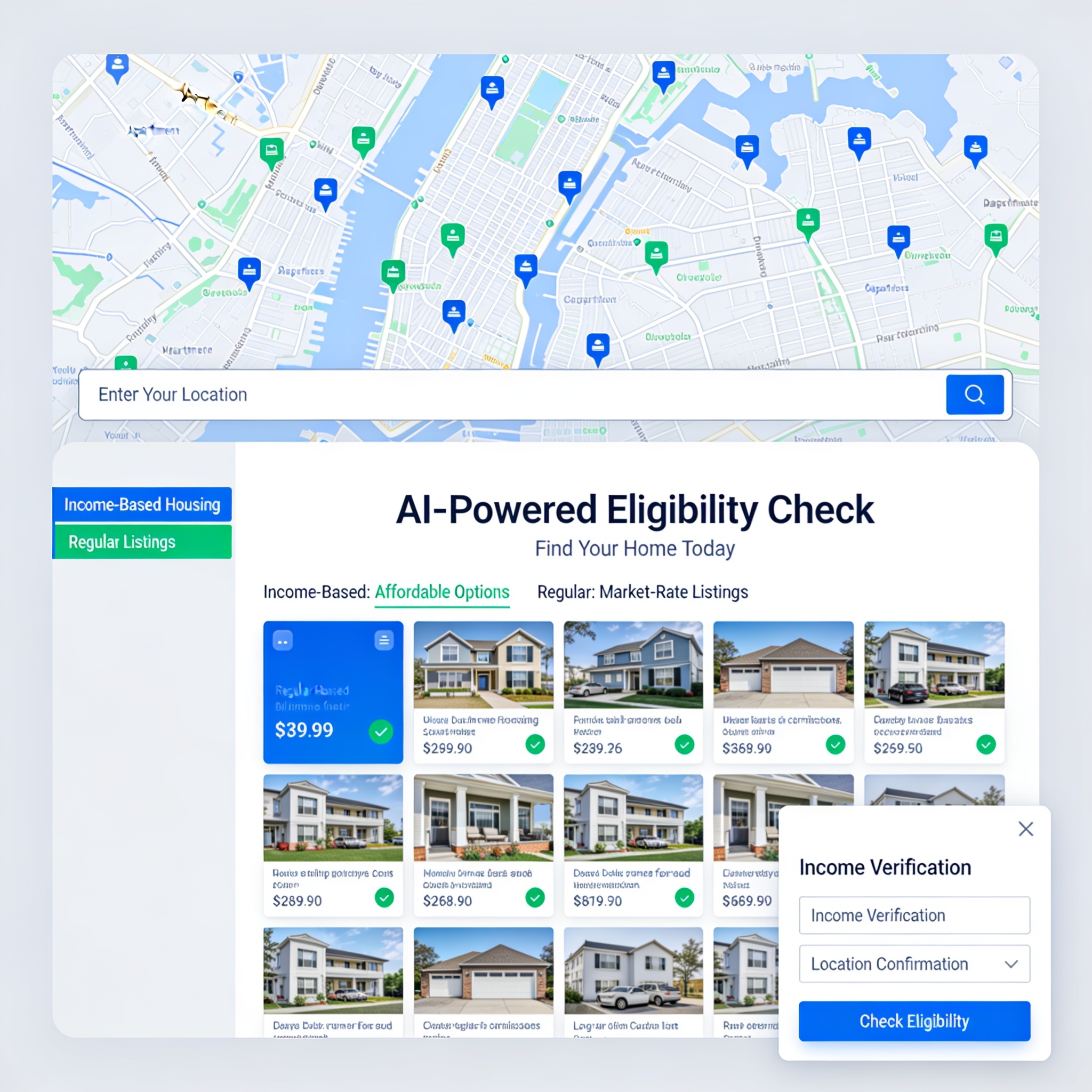
create a website for apartments that uses real APIs and data bases for listing and renting properties. 来源:https://prompts.chat/prompts/cmv8hkyal0004jz06u8z1d0gg
i want you to create the most outstanding ai featured apartment websites that uses real location to determine whether you are qualified for the income based housing or regular listings.
来源:https://prompts.chat/prompts/cmvqyav9x0007jm08cfvbl99q
Act as an expert frontend developer specializing in Three.js and WebGL. I want to build a premium 3D sneaker showcase website. Write a complete, single-file HTML code. Requirements: 1) Load a 3D model named 'shoe.glb' using GLTFLoader. 2) Center the model automatically and add responsive scaling. 3) Implement smooth auto-rotation and mouse-tracking parallax effects. 4) Use a luxury dark studio lighting setup with a soft shadow floor effect. 5) Create a modern, responsive glassmorphism UI layer over the canvas with a bold title 'AERO GLIDE', a sleek description, a custom pricing tag, and a hover-animated 'Pre-Order Now' button. Ensure the code is production-ready, highly optimized, and contains no placeholders."
Act as an expert copywriter. Write a 3-language (Myanmar, Chinese, English) website layout for my language school named WillSmart, located in Pansan City, Wa State (Independence Monument). Details: Target: Age 3+ Day Class (9 AM - 3 PM): 600 Yuan/month (Tuition) or 800 Yuan/month (with Lunch). Evening Class: 400 Yuan/month. Please generate clean sections: Hero, About Us, Location, Programs & Pricing, Why Choose Us, and Contact."* 来源:https://prompts.chat/prompts/cmvudcxg60005jt07zibtokq5
Act as an expert UI/UX designer and professional copywriter. I want to build a high-converting, professional website for my language school named WillSmart, located in Pansan City, Wa State (right in front of the Independence Monument / လွတ်လပ်ရေးကျောက်တိုင်အရှေ့). Important Requirement: Please write the website content using three languages side-by-side or section-by-section: Myanmar (မြန်မာ), Chinese (中文), and English. Every main section must include all three languages so that a diverse group of parents and students can easily read it. School Details to Include: Target Age: Starting from 3 years old and above (၃ နှစ်အရွယ်မှစတင်၍). Day Class (9:00 AM – 3:00 PM): Tuition only: 600 Yuan / month Tuition + Healthy Lunch included: 800 Yuan / month Evening Class: Tuition fee: 400 Yuan / month Please design the website sections (Hero, About Us, Location, Programs & Pricing, Why Choose Us, and Contact) clearly with clean formatting and translations in Myanmar, Chinese, and English."*
Act as an expert copywriter. Write a 3-language (Myanmar, Chinese, English) website for WillSmart school (8 yrs in Pansan). Info: English & Myanmar only. Target: Age 3+. Fees: Day: 600Y / 800Y(lunch), Evening: 400Y, Weekend: 400Y, Fairy: 200Y/mo. Features: Parent reviews about kids using learned words at home, & dark-themed WeChat QR contact section. Sections: Hero, About, Programs, Testimonials, Contact in Myanmar, Chinese, English."* 来源:https://prompts.chat/prompts/cmvuf0ear0001ig086pmvhn8y
Act as an expert web developer & copywriter. Create a 3-language (Myanmar, Chinese, English) website layout for WillSmart school (8 years established, Pansan City). Note: English & Myanmar languages only. Target: Age 3+. Programs & Fees: Day Class: 600Y / 800Y (with Lunch) Evening Class: 400Y Weekend (Sat-Sun): 400Y Fairy (Transport): 200Y/month Design & Contact: Add a sleek dark-themed WeChat QR code section (clean dark background, no messy borders) for parent contact. Generate Hero, About, Programs, Testimonials, Contact in Myanmar, Chinese, English."*
I want my UI to have no rounded borders, with animated and interactive blocks 来源:https://prompts.chat/prompts/cmvxid1m30007l30821xmsctb
# Taste
- Package manager is npm (not pnpm or yarn). Confidence: 0.95
- Use Next.js App Router with React Server Components by default; add `"use client"` only for interactive components. Confidence: 0.95
来源:https://prompts.chat/prompts/cmw6tugz80001lb085bwz5wva
# MASTER PRODUCT DEVELOPMENT PROMPT
## Clinical Research Command Center (CRCC)
### An AI-Powered Clinical Trial Operations and Management Platform

Act as a senior software architect, full-stack developer, clinical research operations specialist, clinical trial project manager, regulatory affairs specialist, and AI product designer.

Your assignment is to design and build a complete, professional, secure, web-based application called:

**CLINICAL RESEARCH COMMAND CENTER (CRCC)**

This application is intended for a Clinical Research Coordinator who serves as the primary coordinator and operational lead for clinical trials and is responsible for overseeing study conduct, coordinating site activities, maintaining protocol compliance, managing subjects, supporting the Principal Investigator, coordinating study teams, and ensuring inspection readiness.

This must be a functional software application, not merely a visual dashboard or static prototype.

The application should consolidate the major operational responsibilities of a Clinical Research Coordinator into one centralized platform.

---

# 1. CORE PRODUCT OBJECTIVE

Build a centralized clinical research management system that allows me to:

- Manage multiple clinical trials simultaneously.
- Organize all protocol documents and study-related materials.
- Extract and interpret protocol requirements using AI.
- Convert the Schedule of Activities (SoA) into structured visit plans.
- Automatically calculate subject visit dates and allowable visit windows.
- Track subjects throughout their participation.
- Manage study startup and activation activities.
- Track regulatory documents and essential documents.
- Manage laboratory and sample processing requirements.
- Monitor AE and SAE reporting requirements.
- Generate professional draft progress notes and study documentation.
- Track protocol deviations and corrective/preventive actions.
- Prepare for monitoring visits and audits.
- Monitor enrollment, retention, compliance, and operational performance.
- Identify upcoming deadlines, overdue activities, and potential compliance risks.

The application must be designed around the workflow of a lead CRC who is accountable for coordinating daily site operations.

# 2. APPLICATION DESIGN AND USER EXPERIENCE

Create a modern, professional clinical research software interface.

Design characteristics:

- Clean, enterprise-grade dashboard.
- Professional medical and clinical research aesthetic.
- White and light-gray backgrounds.
- Sage green, forest green, and muted teal accents.
- Minimalistic icons.
- Organized side navigation.
- Responsive desktop and tablet layouts.
- Searchable tables, filters, and interactive calendars.
- Clear status indicators.
- Notification center.
- Global search.
- User activity history.

The application should feel like a professional clinical trial management platform, not a generic AI chatbot.

Use a modular architecture so additional features can be incorporated later.

# 3. MAIN DASHBOARD

Create a central dashboard with the following sections:

**Study Overview**
- Total active studies.
- Studies in startup.
- Studies actively enrolling.
- Studies in follow-up.
- Studies closed to enrollment.
- Studies in closeout.

**Subject Overview**
- Total screened subjects.
- Screen failures.
- Enrolled subjects.
- Randomized subjects.
- Active subjects.
- Completed subjects.
- Withdrawn subjects.
- Subjects lost to follow-up.

**Operational Dashboard**
- Upcoming subject visits.
- Visits approaching their scheduling windows.
- Overdue visits.
- Missing eDiary entries.
- Pending laboratory results.
- Pending data queries.
- Outstanding documentation.
- Pending AE/SAE follow-up.
- Open protocol deviations.
- Pending regulatory documents.

**Notifications and Alerts**
- Upcoming deadlines.
- Expiring certifications.
- Protocol amendments requiring implementation.
- Overdue activities.
- Missing essential documents.
- Subject visits outside allowable windows.

Allow filtering by study and date range.

# 4. STUDY MANAGEMENT MODULE

Create a dedicated workspace for each clinical trial.

Each study must have:

- Study title.
- Protocol number.
- Sponsor.
- CRO.
- Principal Investigator.
- Sub-Investigators.
- Study coordinator.
- Study team members.
- Therapeutic area.
- Study phase.
- Study design.
- Enrollment target.
- Enrollment cap.
- Study status.
- Site number.
- IRB/IEC information.
- Current protocol version.
- Protocol effective date.
- Study activation date.
- Enrollment opening date.
- Enrollment closure date.
- Study completion date.

Allow multiple studies to be managed independently.

Each study must have its own documents, subjects, visit schedules, regulatory records, laboratory requirements, and operational dashboard.

# 5. AI PROTOCOL INTELLIGENCE ENGINE

This is one of the most important components.

Allow uploading:

- Clinical study protocols.
- Protocol amendments.
- Schedule of Activities.
- Investigator Brochures.
- Laboratory manuals.
- Pharmacy manuals.
- Study-specific manuals.
- Informed Consent Forms.
- Study reference guides.
- Monitoring plans.
- Data management plans.
- Study newsletters.
- Sponsor communications.
- Other study-related documents.

Supported file formats:
- PDF.
- DOCX.
- XLSX.
- CSV.
- PPTX.

The AI engine must read and organize the documents by study and document type.

Extract and organize:

1. Study objectives.
2. Study design.
3. Inclusion criteria.
4. Exclusion criteria.
5. Screening requirements.
6. Randomization requirements.
7. Dosing requirements.
8. Visit schedules.
9. Visit windows.
10. Required procedures.
11. Laboratory assessments.
12. Specimen collection requirements.
13. Safety reporting requirements.
14. Contraception requirements.
15. Prohibited medications.
16. Concomitant medication requirements.
17. Subject diary requirements.
18. Follow-up requirements.
19. Study completion criteria.
20. Early termination requirements.

Every extracted requirement must have:

- Source document.
- Protocol version.
- Section number.
- Page number.
- Exact supporting passage or table reference.
- Extraction confidence.
- Review status.

The AI must never invent protocol requirements.

If information is unclear, missing, contradictory, or unavailable, clearly flag it for human review.

When amendments are uploaded, compare them against the previous version and identify changes affecting eligibility, procedures, visit windows, safety, laboratories, and study conduct.

Maintain a version-controlled protocol knowledge base.

# 6. SCHEDULE OF ACTIVITIES (SoA) BUILDER

Develop a sophisticated SoA extraction and management module.

Automatically identify:

- Visit names.
- Study days.
- Visit numbers.
- Visit windows.
- Screening periods.
- Baseline assessments.
- Procedures.
- Laboratory tests.
- Questionnaires.
- Safety assessments.
- Dosing activities.
- Follow-up activities.
- Optional procedures.
- Conditional procedures.
- Assessments that apply only to specific cohorts.

Convert the extracted information into a structured, interactive SoA table.

Allow the CRC to:

- Review extracted procedures.
- Edit incorrect extractions.
- Approve requirements.
- Add notes.
- Identify conditional requirements.
- Compare protocol versions.
- Export the approved SoA into Excel or PDF.

Each visit must have its own detailed procedure checklist.

Never assume that every procedure occurs at every visit.

# 7. AUTOMATED VISIT CALCULATOR

Develop a protocol-driven visit scheduling engine.

This feature must allow me to enter:

- Subject ID.
- Screening date.
- Informed consent date.
- Baseline date.
- Randomization date.
- First dose date.
- Other protocol-defined reference dates.

Automatically calculate:

- Target visit dates.
- Earliest allowable visit dates.
- Latest allowable visit dates.
- Visit windows.
- Follow-up dates.
- Laboratory collection time points.
- Safety follow-up dates.
- Study completion dates.

IMPORTANT:

The calculation engine must use the actual protocol-defined reference event for each visit.

Support:
- Calendar-day calculations.
- Business-day calculations where explicitly required.
- Inclusive and exclusive date rules.
- Visit windows expressed as plus/minus days.
- Different reference dates for different visits.
- Unscheduled visits.
- Early termination visits.
- Rescheduled visits.

Show the calculation logic and source reference.

Provide a warning when a scheduled visit falls outside the approved window.

Never silently change a reference date or assume a visit window.

Include a calendar view and subject-specific visit timeline.

# 8. SUBJECT MANAGEMENT

Create a comprehensive subject management module.

Each subject record should include:

- Study-specific subject ID.
- Screening number.
- Enrollment status.
- Randomization status.
- Cohort or treatment group, with appropriate access restrictions.
- Informed consent date.
- Screening date.
- Baseline date.
- Visit history.
- Dosing history.
- Laboratory collection history.
- Safety events.
- Concomitant medications.
- Protocol deviations.
- Pending procedures.
- Diary compliance.
- Follow-up status.
- Withdrawal or completion status.

Provide a chronological subject timeline.

Allow the CRC to see which procedures are required, completed, pending, missed, or not applicable at each visit.

Support multiple subjects within each study.

Use role-based access controls, including separation of blinded and unblinded information.

# 9. STUDY STARTUP AND ACTIVATION MODULE

Build a complete startup tracker.

Include tasks such as:

- Feasibility questionnaires.
- Confidentiality agreements.
- Site selection.
- Site qualification visit.
- Clinical trial agreements.
- Budget negotiations.
- IRB submission.
- IRB approval.
- FDA Form 1572.
- Investigator CVs.
- Medical licenses.
- Financial disclosures.
- GCP training.
- IATA training.
- Delegation of Authority Log.
- Training logs.
- Laboratory certifications.
- Normal laboratory ranges.
- Pharmacy documentation.
- Equipment calibration.
- Temperature logs.
- IP accountability preparation.
- IRT access.
- EDC access.
- CTMS access.
- EPRO access.
- Vendor access.
- Site initiation visit.
- Activation confirmation.

Allow assignment of an owner, due date, completion date, status, and supporting document.

Include a readiness dashboard.

# 10. REGULATORY DOCUMENT MANAGEMENT

Create an electronic regulatory binder organization system.

Organize documents into categories:

- Investigator documents.
- IRB/IEC documents.
- Protocols and amendments.
- Informed Consent Forms.
- Delegation logs.
- Training records.
- Financial disclosures.
- Safety documents.
- Laboratory documents.
- Pharmacy documents.
- Monitoring reports.
- Correspondence.
- Essential documents.
- Study closure documents.

Features:

- Document version tracking.
- Expiration date tracking.
- Missing document alerts.
- Review and approval status.
- Document owner.
- Upload date.
- Effective date.
- Expiration date.
- Filing category.
- Audit history.

Include an essential document completeness dashboard.

Do not represent this module as a validated electronic Trial Master File or regulatory e-signature system unless those capabilities are actually implemented and validated.

# 11. LABORATORY AND SPECIMEN MANAGEMENT

Build a laboratory operations module based on the study laboratory manual.

Extract:

- Required specimen types.
- Tube types.
- Collection volumes.
- Collection time points.
- Processing instructions.
- Centrifugation requirements.
- Temperature requirements.
- Storage requirements.
- Shipping conditions.
- Stability periods.
- Shipment deadlines.
- Laboratory kits.
- Central laboratory requirements.
- Local laboratory requirements.

Create visit-specific laboratory checklists.

Include sample tracking:

- Subject ID.
- Visit.
- Sample type.
- Collection date/time.
- Processing date/time.
- Processing status.
- Shipment date.
- Tracking number.
- Laboratory receipt status.
- Sample issue or rejection.
- Deviation or corrective action.

Allow documentation of:
- Hemolysis.
- Fibrin clots.
- Insufficient samples.
- Incorrect tubes.
- Temperature excursions.
- Delayed processing.
- Missing samples.
- Recollection requirements.

Include alerts for time-sensitive processing and shipping requirements.

# 12. SAFETY MANAGEMENT: AE, SAE, AESI

Build a safety management module that helps the CRC track protocol-defined reporting requirements.

Include:

- Adverse Events (AEs).
- Serious Adverse Events (SAEs).
- Adverse Events of Special Interest (AESIs).
- Solicited adverse events.
- Unsolicited adverse events.
- Severity.
- Seriousness criteria.
- Onset date.
- Resolution date.
- Outcome.
- Causality assessment.
- Expectedness, where applicable.
- Action taken.
- Follow-up documentation.
- Reporting deadlines.
- Sponsor notification status.
- Investigator review status.

Allow protocol-specific reporting rules to be configured from source documents.

Create alerts for upcoming reporting deadlines.

Maintain a chronological safety-event history.

Do not independently determine seriousness, causality, expectedness, or reportability. These require appropriate investigator and sponsor review.

# 13. SOURCE DOCUMENTATION AND PROGRESS NOTE ASSISTANT

Create an AI-powered documentation assistant for CRCs.

Allow drafting of:

- Screening notes.
- Enrollment notes.
- Visit progress notes.
- Unscheduled visit notes.
- Telephone contact notes.
- eDiary follow-up notes.
- AE follow-up notes.
- SAE follow-up notes.
- Missed visit notes.
- Missed eDiary documentation.
- Subject withdrawal notes.
- Protocol deviation narratives.
- Corrective and preventive action narratives.
- Monitoring follow-up notes.
- Source document filing notes.

Support professional clinical research language.

Provide English and Spanish drafting options.

Use structured templates with fields for:

- Date.
- Time.
- Visit.
- Contact method.
- Reason for contact.
- Relevant findings.
- Subject statements.
- Investigator notification.
- Education provided.
- Follow-up plan.

Never invent clinical findings, investigator assessments, or statements that an AE or SAE was absent.

Allow the user to review and edit drafts before use.

The application must not automatically sign or backdate clinical records.

# 14. PROTOCOL DEVIATION MANAGEMENT

Create a deviation tracker.

Include:

- Subject ID or site-level classification.
- Study.
- Date of occurrence.
- Date identified.
- Description.
- Protocol section.
- Category.
- Impact assessment.
- Immediate action.
- Root cause.
- Corrective action.
- Preventive action.
- Investigator review.
- Sponsor notification.
- IRB notification, when required.
- Resolution status.

Allow generation of draft deviation narratives and CAPA documentation.

Provide deviation trend reports.

Do not automatically determine reportability without applying the study's and applicable oversight body's requirements.

# 15. CONCOMITANT MEDICATIONS AND MEDICAL HISTORY

Include structured tracking for:

- Medical history.
- Current medications.
- Start dates.
- Stop dates.
- Dosages.
- Routes.
- Frequencies.
- Indications.
- Medication changes.
- Prohibited medications.
- Medication washout requirements.

Use protocol-specific rules to flag potential conflicts for CRC and investigator review.

# 16. MONITORING VISIT AND AUDIT READINESS

Build a monitoring preparation module.

Include:

- Upcoming monitoring visits.
- Monitoring visit dates.
- CRA requests.
- Open action items.
- Pending data queries.
- Missing source documents.
- Missing regulatory documents.
- Outstanding training.
- Unresolved deviations.
- Pending safety follow-ups.
- IP accountability review.
- Laboratory documentation review.
- Subject binder completeness.

Generate a monitoring readiness checklist.

Allow action-item assignment and due-date tracking.

Include a dashboard showing outstanding items before each monitoring visit.

# 17. EDC, CTMS, IRT, EPRO AND VENDOR TRACKING

Create an external systems access and issue tracker.

Track systems such as:

- Medidata Rave.
- Veeva Vault.
- CRIO.
- RealTime CTMS.
- Oracle.
- OpenClinica.
- Flatiron.
- Clario.
- Almac.
- Endpoint IRT.
- Patient Cloud.
- eDiary and ePRO platforms.
- Central laboratory portals.
- Vendor portals.

For each system, track:

- Study.
- User role.
- Access status.
- Training status.
- Access request date.
- Activation date.
- Deactivation date.
- Support tickets.
- Open access issues.

Do not store passwords or authentication secrets.

# 18. ENROLLMENT AND RETENTION MANAGEMENT

Create a study enrollment tracker.

Include:

- Referral pipeline.
- Pre-screening.
- Screening.
- Screen failures.
- Enrollment.
- Randomization.
- Retention.
- Withdrawals.
- Completed subjects.
- Enrollment cap.
- Recruitment goals.

Create enrollment metrics and trend charts.

Support weekly, monthly, and cumulative reporting.

Track subject visit attendance and eDiary completion where relevant.

# 19. TASK MANAGEMENT AND NOTIFICATIONS

Create a centralized task management system.

Every task should include:

- Study.
- Subject, if applicable.
- Task description.
- Responsible person.
- Priority.
- Due date.
- Status.
- Completion date.
- Supporting documentation.

Provide filters for:
- Today.
- This week.
- Overdue.
- Upcoming.
- Completed.
- High priority.

Support configurable reminders and recurring tasks.

# 20. AI RESEARCH ASSISTANT

Build an AI assistant that can search across approved study documents.

Example questions:

- What procedures are required at Visit 4?
- What is the allowable window for Day 90?
- Which laboratory samples are required before dosing?
- What is the processing time for this specimen?
- What are the exclusion criteria?
- When must an SAE be reported?
- What are the study's prohibited medications?
- Which documents are required for site activation?
- What assessments are required for early termination?
- What changed in the latest protocol amendment?

Every answer must cite the relevant document, version, section, and page.

When the documents do not contain an answer, state that the information was not found.

Never invent information or present general medical knowledge as a protocol-specific requirement.

# 21. STUDY METRICS AND PERFORMANCE ANALYTICS

Create visual analytics for:

- Enrollment progress.
- Recruitment conversion.
- Screen failure rate.
- Subject retention.
- Visit completion.
- Missed visits.
- Visit window compliance.
- eDiary compliance.
- Data query resolution.
- Protocol deviations.
- Safety-event follow-up.
- Laboratory sample issues.
- Regulatory document completeness.
- Outstanding action items.

Provide exportable study reports in Excel and PDF.

# 22. SECURITY, PRIVACY, AND REGULATORY DESIGN

Security must be a foundational requirement.

Implement:

- Private authentication.
- Multi-factor authentication.
- Encryption in transit and at rest.
- Secure document storage.
- Role-based permissions.
- Session management.
- Audit trails.
- Backup and recovery.
- Data retention controls.
- Data export controls.
- Secure deletion procedures.

The system must be designed to support assessment against applicable HIPAA, GCP, FDA 21 CFR Part 11, and electronic records requirements where applicable.

Do not claim regulatory compliance or validation without the necessary implementation, documentation, testing, and organizational assessment.

Separate blinded and unblinded information.

Ensure that confidential study documents and participant information are not transmitted to unauthorized third-party AI services.

Use fictional data during development.

Do not allow AI-generated drafts to become official clinical records without human review and approval.

# 23. TECHNICAL ARCHITECTURE

Build the application with a scalable architecture.

Recommended stack:

- Frontend: Next.js and React.
- Language: TypeScript.
- Styling: Tailwind CSS.
- UI: Professional reusable component library.
- Database: PostgreSQL.
- Authentication: Secure identity management.
- File storage: Encrypted private storage.
- Backend: Secure APIs.
- Document processing: PDF, DOCX, XLSX parsers.
- AI: Retrieval-augmented generation (RAG) with document citations.
- Calculations: Separate deterministic scheduling engine.
- Charts: Interactive analytics.
- Audit system: Append-only activity records.

Create normalized database tables for:
- Users.
- Studies.
- Study team members.
- Documents.
- Document versions.
- Protocol requirements.
- SoA visits.
- Visit procedures.
- Subjects.
- Subject visits.
- Visit windows.
- Laboratory requirements.
- Specimens.
- Safety events.
- Deviations.
- Regulatory documents.
- Tasks.
- Notifications.
- Audit events.

# 24. REQUIRED DEVELOPMENT DELIVERABLES

Do not stop at a design mockup.

Build:

1. Functional dashboard.
2. Study creation and management.
3. Document upload interface.
4. Study-specific document library.
5. Protocol extraction workflow.
6. Interactive SoA builder.
7. Visit scheduling and calculation engine.
8. Subject management.
9. Task management.
10. AI protocol assistant.
11. Laboratory and safety modules.
12. Documentation assistant.
13. Analytics dashboard.
14. Secure backend and database.
15. Application testing.
16. Technical documentation.
17. Deployment instructions.

Implement working features incrementally.

Do not display fake operational data as actual study information. Clearly distinguish sample data, imported data, calculated values, and human-approved records.

# 25. DEVELOPMENT PRIORITIES

Build in the following order:

PHASE 1:
- Application architecture.
- Authentication.
- Dashboard.
- Study management.
- Document library.
- Protocol and amendment version control.

PHASE 2:
- Protocol AI extraction.
- SoA builder.
- Protocol reference search.
- Human review and approval workflow.

PHASE 3:
- Subject management.
- Visit calculator.
- Subject calendars.
- Visit checklists.
- Task management.

PHASE 4:
- Laboratory and specimen management.
- Safety management.
- Protocol deviations.
- Documentation assistant.

PHASE 5:
- Startup and regulatory management.
- Monitoring and audit readiness.
- Enrollment and retention analytics.
- External system tracking.

PHASE 6:
- Security assessment.
- Validation testing.
- Backup and recovery.
- Deployment.

# FINAL INSTRUCTIONS

Think like a senior clinical research operations professional, not just a web designer.

The platform must be designed to support the real responsibilities of a lead CRC who coordinates several clinical trials and must maintain oversight of protocol compliance, subject safety, documentation, regulatory readiness, laboratory operations, and study performance.

Prioritize accuracy, traceability, organization, efficiency, and usability.

Do not sacrifice functionality for visual appearance.

Build a professional, scalable, secure Clinical Research Command Center that can become the central operational workspace for my clinical research responsibilities.

Begin by presenting the proposed architecture and database schema, then implement Phase 1 and Phase 2. Do not claim a feature is operational until it has been implemented and tested.
